
Table of Contents
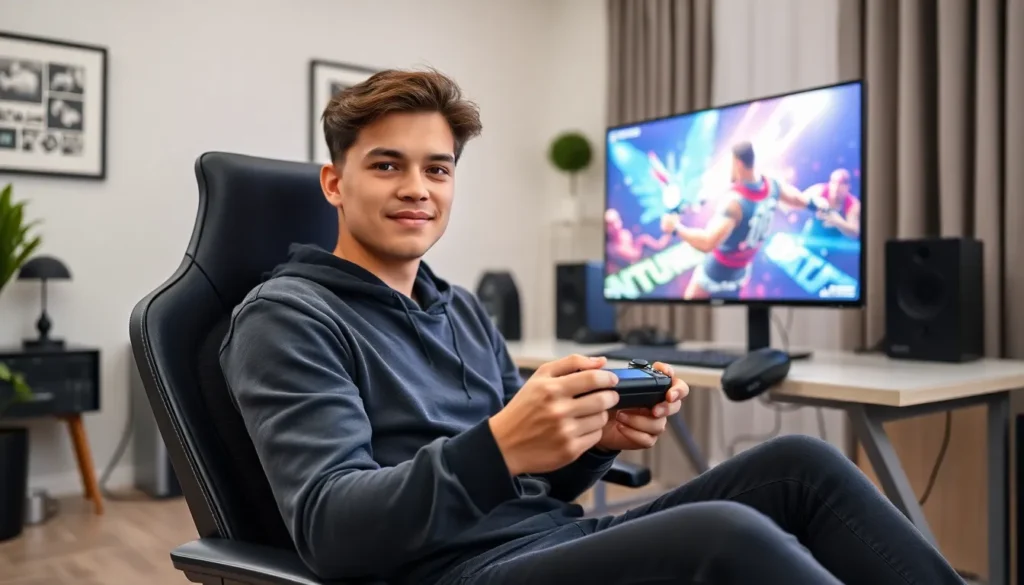
ToggleConsole gaming tips can transform an average player into a formidable competitor. Whether someone plays casually after work or grinds ranked matches every weekend, small adjustments make a big difference. The right setup, proper controller settings, and smart practice habits separate good players from great ones. This guide covers practical strategies that work across PlayStation, Xbox, and Nintendo platforms. Readers will learn how to optimize their environment, fine-tune controls, sharpen in-game skills, and protect their health during long sessions.
Key Takeaways
- Enable ‘Game Mode’ on your TV and use a low input lag display to gain a competitive edge in console gaming.
- Customize your controller sensitivity and button mapping to match your playstyle rather than copying pro settings directly.
- Record and review your gameplay to identify recurring mistakes and target specific weaknesses with focused practice.
- Follow the 20-20-20 rule and take hourly stretch breaks to protect your eyes and body during long gaming sessions.
- Learn from skilled players through streams, videos, and gaming communities to discover advanced console gaming tips and strategies.
- Prioritize sleep and mental wellness—playing while tilted or tired significantly hurts reaction time and decision-making.
Optimize Your Gaming Setup
A proper gaming setup directly affects performance. Many players ignore their environment, but physical conditions shape reaction times and comfort during extended play.
Display Settings Matter
TV choice impacts gameplay more than most realize. A monitor or TV with low input lag gives players a competitive edge. Input lag measures the delay between pressing a button and seeing the action on screen. Gaming monitors typically offer 1-5ms response times, while standard TVs can exceed 30ms.
Players should enable “Game Mode” on their television. This setting reduces input lag by disabling post-processing effects. The difference feels immediate, movements appear snappier and more responsive.
Screen size and distance also affect performance. Sitting too far from a large screen makes spotting enemies harder. A general rule: sit about 1.5 times the screen’s diagonal measurement away from the display.
Audio Setup
Sound provides critical information in most games. Footsteps reveal enemy positions. Audio cues signal incoming attacks. A quality gaming headset gives players spatial awareness that TV speakers cannot match.
Stereo headsets work well for most games. Players who want maximum positional audio should consider headsets with virtual surround sound. The key is hearing directional audio clearly, knowing whether that footstep came from the left or right hallway.
Reduce Distractions
Gaming setup extends beyond hardware. A clean, organized space helps maintain focus. Phone notifications pull attention away at crucial moments. Players serious about improvement should silence devices during sessions. Even small interruptions break concentration and disrupt muscle memory development.
Master Controller Settings and Sensitivity
Controller configuration separates casual players from skilled competitors. Default settings rarely suit individual playstyles. Taking time to customize controls pays dividends.
Find Your Sensitivity Sweet Spot
Sensitivity settings control how fast the camera moves when players push the analog stick. High sensitivity allows quick turns but sacrifices precision. Low sensitivity provides accuracy but limits reaction speed.
The best approach? Start low and gradually increase. Players should test sensitivity in training modes or casual matches. A good sensitivity lets someone track a moving target smoothly without overshooting.
Many console gaming tips focus on copying pro player settings. This approach has limits. Hand size, grip style, and personal preference vary too much. Use pro settings as starting points, then adjust based on comfort.
Button Mapping and Layouts
Custom button layouts can provide advantages. Remapping jump to a back paddle (on controllers that support it) keeps thumbs on the sticks. This setup allows simultaneous aiming and jumping, impossible with default layouts.
Some games offer preset alternative layouts. Fighting games often include options that place special moves on easier inputs. Sports games may have simplified passing schemes. Players should explore every menu option before settling on defaults.
Dead Zone Adjustments
Dead zones determine how far players must move the analog stick before the game registers input. Smaller dead zones increase responsiveness but may cause unwanted drift on worn controllers. Larger dead zones prevent drift but feel less immediate.
Players with newer controllers can safely reduce dead zones. Those using older controllers might need higher values to compensate for stick wear.
Improve Your In-Game Skills
Hardware optimization only goes so far. Real improvement comes from deliberate practice and smart learning strategies.
Study Your Gameplay
Modern consoles make recording gameplay simple. Players should capture their matches and review them later. Watching footage reveals mistakes invisible during active play. Did that death come from poor positioning? Bad timing? The replay shows the truth.
Focus on deaths and failures first. Each mistake teaches something. Identify patterns, maybe certain situations consistently cause problems. Once players spot recurring issues, they can drill solutions.
Practice With Purpose
Mindless grinding produces slow results. Focused practice accelerates improvement. Players should identify one specific weakness and work on it exclusively. Struggling with headshots? Spend thirty minutes in aim trainers targeting only the head. Having trouble with a particular combo? Repeat it until muscle memory takes over.
This approach requires discipline. Playing matches feels more fun than drilling fundamentals. But twenty minutes of focused practice beats two hours of unfocused play for skill development.
Learn From Better Players
Watching skilled players reveals techniques that guides miss. Twitch streams and YouTube videos showcase high-level strategies in action. Players should observe positioning, decision-making, and timing, not just mechanical skill.
Asking questions helps too. Most gaming communities welcome newcomers seeking console gaming tips. Discord servers, Reddit forums, and in-game chat provide access to experienced players willing to share knowledge.
Take Care of Your Health While Gaming
Long gaming sessions strain bodies and minds. Smart players protect their health to maintain performance over time.
Eye Care
Screen time causes eye strain. The 20-20-20 rule helps: every 20 minutes, look at something 20 feet away for 20 seconds. This simple habit reduces fatigue and prevents headaches.
Room lighting matters too. Playing in complete darkness forces eyes to constantly adjust between the bright screen and dark surroundings. A bias light behind the monitor or soft ambient lighting eases this strain.
Physical Health
Gamers often sit for hours without movement. This sedentary behavior creates real health risks. Players should stand and stretch every hour minimum. Simple movements, shoulder rolls, wrist stretches, neck rotations, prevent stiffness and repetitive strain injuries.
Proper posture during play reduces back and neck problems. Feet should rest flat on the floor. The screen should sit at eye level. Wrists should remain neutral, not bent at sharp angles. These adjustments feel minor but prevent cumulative damage.
Mental Wellness
Tilt and frustration hurt performance. Taking breaks after losses prevents negative spirals. Players who feel angry should step away. Coming back with a clear head produces better results than forcing matches while tilted.
Sleep affects reaction time and decision-making dramatically. Studies show sleep deprivation impacts cognitive function similarly to alcohol intoxication. Players serious about improvement need adequate rest, typically 7-9 hours nightly.


